
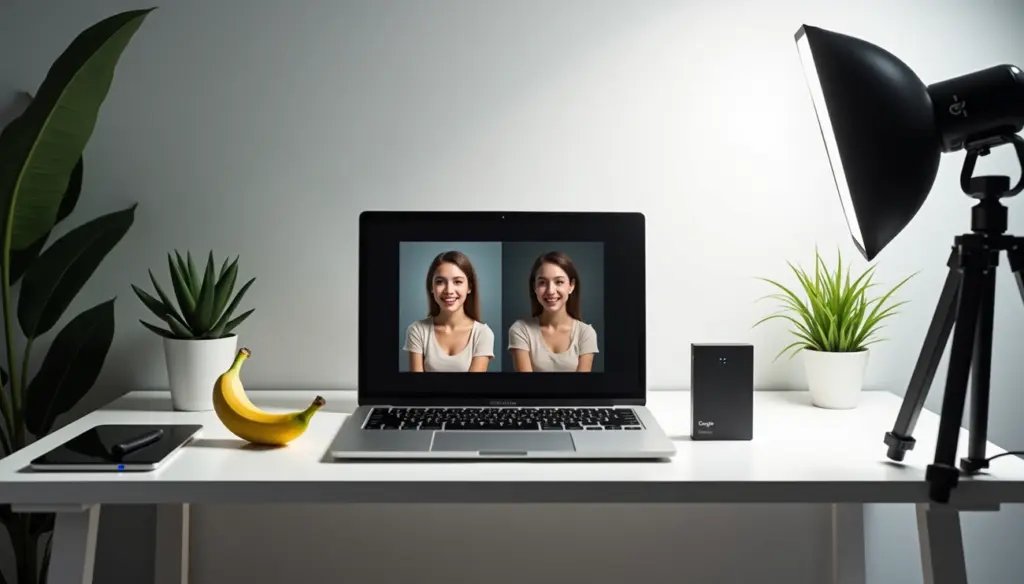
Nano banana AI has become the world’s top-rated image editing model since its August debut. This revolutionary tool excels at editing existing images instead of generating new ones from scratch. Google quickly expanded Nano Banana’s reach by integrating it into Search and NotebookLM, and then released Nano Banana Pro in November.
What makes the Google Nano Banana AI model so special? Built on Gemini 3 Pro, this powerful image AI tool uses advanced reasoning and real-life knowledge to create better visualizations than ever before. On top of that, it includes both visible and invisible watermarking, which helps Google track usage across the web and identify misrepresented images. Content creators and entrepreneurs can use this Google Nano Banana technology to create viral thumbnails and professional advertisements, opening up great business opportunities.
This piece breaks down the technical components that power Nano Banana AI, from its input pipeline to its semantic understanding capabilities. Let’s look at the mechanics behind this impressive technology.
Overview of the Nano Banana AI Tool
Google’s Nano Banana is the company’s advanced image generation and editing models. It has two versions: Nano Banana (Gemini 2.5 Flash Image) and Nano Banana Pro (Gemini 3 Pro Image). Most AI image generators create images from text prompts. Nano Banana takes a different approach. It excels at sophisticated editing of existing images and keeps remarkable consistency across edits.
What is Nano Banana AI used for?
Nano Banana AI is a versatile tool that works well for casual users and professionals. Here’s what it can do:
- Identity consistency: The model keeps subject likeness during multiple edits. Characters, people, pets, and branded objects stay recognizably the same even after many changes.
- Multi-turn editing: You can make changes to images one after another. The quality and identity of the original content stays intact. This lets you develop your creative ideas through conversation.
- Image blending: The tool merges multiple images. You can combine separate photos into a single, coherent scene.
- Style mixing: You can apply textures, colors, or styles from reference photos to other images. This makes it easy to try different looks.
Businesses and creative professionals can deploy localized campaigns faster with text support in multiple languages. The model creates accurate, context-rich visual assets by connecting to Google Search. This makes it valuable for technical guides and training manuals where accuracy matters.
Nano Banana Pro supports up to 4K image resolution. You get exceptional detail and sharpness across multiple aspect ratios. Marketing teams, e-commerce sites, and content creators can use these production-ready assets.
Integration with Google Gemini ecosystem
Nano Banana AI works as part of the Google Gemini ecosystem. You can access it through:
- The Gemini app on desktop and mobile devices
- AI Mode in Search
- NotebookLM for visual narratives
- Workspace tools including Google Slides and Google Vids
- Flow, Google’s AI filmmaking tool
- Mixboard for presentations
Developers can access Nano Banana through Vertex AI, AI Studio, Stitch, and Firebase. This broad integration lets you brainstorm ideas, create visuals, and refine them all in one place.
The model is a key part of the creative economy. It powers design platforms like Adobe, Figma, and Canva. Adobe has built it into Firefly and Photoshop. Creators now have access to top-tier image generation alongside Adobe’s editing tools.
Why it’s different from other image AIs
Nano Banana stands out from competitors in several ways:
Superior consistency: Other AI image editors struggle to maintain subject identity across edits. Nano Banana keeps facial characteristics, hair textures, and specific design elements intact throughout the editing process.
Conversational workflow: Tools like Midjourney use single-shot generation. Nano Banana lets you edit through dialog. You can start with basic changes and refine them step by step. Paint walls, add furniture, and adjust lighting one after another.
Integrated watermarking: Each image created with Nano Banana has a visible watermark and an invisible SynthID digital watermark. This shows which content is AI-generated. This built-in feature promotes transparency and responsible use.
Real-world knowledge: Nano Banana Pro connects to Google’s search database. It understands prompts with cultural and contextual accuracy. You don’t need to provide extensive details or make many iterations.
Developer-friendly design: The model’s APIs are easy to implement with minimal code. Developers across different fields can integrate it into their projects.
Nano Banana is a breakthrough in AI image editing. It combines exceptional subject consistency with an accessible interface and production-ready output quality. Gaming studios, marketing teams, and media producers will find it especially useful.
Input Pipeline: From Prompt to Preprocessing
My words go through multiple processing stages when I type a prompt into the Nano Banana AI interface. The system transforms raw text and images into structured data that the model can understand and work with.
Text prompt tokenization and embedding
The Nano Banana AI model starts by breaking down my text into smaller pieces called tokens. This tokenization helps the model process natural language input efficiently and prepares it for interpretation.
The Nano Banana AI tool utilizes Gemini’s embedding capabilities to transform these tokens into numerical vector representations. These embeddings capture my words’ meaning in a format the AI can process. The system converts each text prompt into high-dimensional vectors using the gemini-embedding-001 model, which creates 3072-dimensional embeddings by default.
The embedding process works especially well because it uses Matryoshka Representation Learning (MRL). This innovative technique teaches the model to create high-dimensional embeddings where initial segments work as simpler versions of the same data. The model can output smaller vectors (usually 768 or 1536 dimensions) without losing much quality when storage is limited.
Different tasks need different embedding approaches. The system optimizes embeddings based on whether I use Nano Banana AI to generate content, edit text, or transfer styles:
- Semantic similarity – For comparing meaning between concepts
- Classification – For categorizing content
- Retrieval – For finding related information
This task-specific method gives the best accuracy for each use case. To name just one example, the model shows a similarity score of 0.9481 when comparing “What is the meaning of life?” with “What is the purpose of existence?”.
Image normalization and metadata extraction
Images need preprocessing before the main AI processing begins. The system starts with image normalization to make different images more uniform.
The normalization process has several key steps:
- Resizing – Large images are adjusted to maximum height and width parameters
- Orientation adjustment – Images with orientation metadata are rotated for vertical loading
- Format standardization – Images are converted to consistent formats for processing
The system creates a structured representation after normalization. Each image becomes a complex type with vital attributes:
- BASE64 encoded string of the normalized image
- Width and height measurements (both original and normalized)
- Rotation information
- Content offset data for embedded images
The AI examines three main metadata categories while extracting valuable information:
- EXIF data: Technical specifications, creation dates, and camera details
- IPTC/XMP data: Copyright information, descriptions, and keywords
- Visual content data: Objects, colors, and other visual attributes present in the image
This metadata serves multiple purposes in the Nano Banana AI pipeline. The model understands image content better with contextual information. Accurate editing becomes possible by keeping important image characteristics throughout transformation. Advanced features like copyright information tracking and misuse detection work more effectively.
The Nano Banana AI creates a bridge between human instructions and machine processing through this input pipeline. Both text and visual inputs get ready for complex reasoning and transformation processes that follow.
Semantic Understanding and Contextual Reasoning
The magic behind Nano Banana AI comes from its smart reasoning system. This system takes raw inputs and turns them into meaningful visual outputs. The model reads your intentions and understands visual context – a vital step that leads to exceptional image editing and generation.
Gemini 3 Pro’s role in prompt interpretation
Nano Banana AI gets its smarts directly from Gemini 3 Pro’s advanced reasoning engine. Built on this foundation, Nano Banana Pro makes use of Gemini’s cutting-edge reasoning and deep real-life knowledge to create visuals with amazing accuracy.
Gemini 3 Pro ended up becoming the brain behind how prompts are interpreted. The system analyzes instructions through several key steps:
- Semantic parsing: The model breaks down structured prompt data first. It identifies parameters for specific image parts. This helps it understand JSON-structured prompts and run complex instructions from structured data formats.
- Logical reasoning: The system does more than just process text. Gemini 3 shines at handling prompts that need multiple reasoning steps. This lets Nano Banana AI understand conditional logic like “the person holding the umbrella” or “the third book from the left”.
- Abstract concept interpretation: The model understands abstract ideas without fixed visual definitions. These include concepts like “damage,” “mess,” or “chance”. It can even handle metaphors and creative descriptions that would confuse basic systems.
Gemini 3’s thinking abilities help Nano Banana Pro create more than just pretty pictures. The content shows real understanding of what users want. To cite an instance, when asked to create an educational explainer, it builds context-rich infographics using facts without needing visual references.
The system works in multiple languages too. Gemini 3 Pro’s improved multilingual reasoning lets Nano Banana understand prompts in different languages. It can generate text within images that fits local needs. This makes it a versatile tool for creating content worldwide.
Scene understanding and object relationships
Nano Banana AI excels at understanding visual scenes and how objects relate to each other. The model shows advanced spatial understanding in several ways:
Object relationship processing lets the tool see how different parts of an image connect. This ensures accurate edits that respect the original composition, which matters most in complex scenes with many interacting elements.
Relational understanding helps Nano Banana spot objects based on context, not just looks. Users can ask to “highlight the person holding the umbrella” or “show me the most wilted flower in the bouquet”.
Activity and process inference helps the model understand dynamic states like “setting up” as movement and purposeful arrangement. This understanding of time brings action to still images and allows natural scene changes.
Conditional logic interpretation powers filtered queries like “food that is vegetarian” or “people who are not sitting”. This smart parsing of logical conditions creates precise edits.
Nano Banana AI specializes in visual understanding, though it’s based on Gemini 3 Pro’s ability to handle any input type. The model combines this with language processing to grasp entire visual scenes. It interprets materials, colors, shapes, and spatial arrangements.
This deep scene understanding helps Nano Banana keep edits consistent. The model maintains lighting, perspective, and spatial relationships throughout the editing process. This creates coherent results even through multiple changes.
Image Editing Engine: Core Model Mechanics
Google’s Nano Banana AI draws its power from a sophisticated image editing engine. Raw inputs become visually stunning outputs through advanced mathematical operations. This engine revolutionizes AI-driven visual manipulation technology.
Diffusion-based image transformation
Nano Banana AI’s core runs on diffusion model principles. It refines images through a controlled noise removal process. Unlike older Generative Adversarial Networks (GANs), diffusion models begin with random noise. The system removes this noise systematically based on user prompts. This iterative “denoising” approach gives users exceptional control over the transformation process.
The specialized diffusion model creates and edits photorealistic images by breaking down the process into discrete steps. The model analyzes the original image first. Then it applies transformation operations based on prompt specifications. The final step renders the edited result while preserving key details.
Nano Banana AI stands out from other image generators because of its context-aware processing. The diffusion-based transformation understands relationships between image elements rather than just replacing pixels. To cite an instance, when changing a background from day to night, the model adjusts shadows and reflections throughout the image.
Latent space manipulation for edits
Latent space manipulation powers every image edit in Nano Banana AI. The system encodes uploaded images into a compressed latent space—a mathematical representation that turns visual elements into manipulable vectors.
Visual elements like objects, styles, and lighting become mathematical points in this latent space. Nano Banana controls specific attributes by adjusting these vectors with precision. Users can make detailed modifications:
- Linear direction shifts – The model estimates linear directions in latent space that control semantic attributes, which enables precise adjustments along specific dimensions
- Disentangled edit directions – Nano Banana estimates disentangled edit directions with minimal supervision, unlike older systems that need extensive labeled datasets
- Sequential manipulations – The model performs individual and sequential edits with high precision while preserving identity
Complex image attributes become adjustable parameters through this latent representation. To cite an instance, changing a shirt’s color or adding glasses involves finding and shifting specific vectors in latent space. Other elements remain undisturbed. This sophisticated manipulation makes Nano Banana AI’s “step-by-step” editing feel user-friendly.
Maintaining facial and object integrity
The sort of thing I love about the Nano Banana AI model is how it maintains consistency through multiple edits. Character and scene anchoring through specialized latent space techniques power this preservation mechanism.
Nano Banana employs a refined diffusion process that anchors edits to the original subject’s latent representations. Other models might regenerate entire images and create inconsistencies. This technique preserves subtle details like skin texture, lighting effects, and proportions during dramatic transformations.
Several technologies make this identity preservation possible:
- Attribute style manifolds – The model encodes images with the same identity but different attribute styles to estimate an attribute style manifold
- Feature embedding penalties – The model achieves visual similarity between original and edited images through penalties on feature embeddings
- Multi-turn editing – Each prompt builds on preserved elements from previous outputs, which reduces artifacts substantially
Nano Banana AI’s handling of latent space enables it to maintain facial features and object integrity. The model preserves specific dimensions in latent space that encode identity while changing attribute-related dimensions like clothing or background. This approach delivers the remarkable consistency that makes creative professionals choose this tool.
Advanced Editing Features in Nano Banana AI
Nano Banana AI goes beyond simple image editing with specialized features that show its remarkable power. These advanced functions make it more than just an image editor – it’s a complete creative tool.
3D figurine generation from 2D photos
Nano Banana AI turns 2D images into stunning 3D figurines through a sophisticated process. This feature analyzes facial features, body poses, angles, and textures to build lifelike 3D models that look amazing.
You can create a 3D figurine by uploading a photo and writing a detailed prompt. A typical prompt needs these details:
- Scale (usually 1/6 scale collectible)
- Style (realistic sculpted style)
- Setting (such as a polished tabletop)
- Lighting conditions (often natural daylight)
- Display elements (like circular frosted glass bases)
The result is a small but dynamic 3D version ready to share or download. Computer vision, depth estimation, and neural rendering work together to make this happen.
These 3D figurines serve many purposes:
- Story highlights and social media content
- Virtual avatars for gaming platforms
- Collectible-style promotional materials
- Birthday and special occasion digital gifts
Photo restoration and color enhancement
Nano Banana AI brings damaged photographs back to life. The tool spots and removes noise, boosts contrast, repairs cracks, and brings back lost details with amazing accuracy.
The AI checks several things when you upload an old, faded, or scratched image:
- Physical damage (scratches, tears, creases)
- Color fading and discoloration
- Image blurriness and resolution issues
- Overall photograph integrity
Restoration happens automatically while keeping the subject’s real appearance. To cite an instance, facial photographs keep the person’s identity while the image quality improves dramatically.
The color enhancement features really shine. Black and white photos transform into vibrant color images with historically accurate tones. This uses Generative Facial Prior (GFP), a specialized machine learning model that creates high-quality facial images from low-resolution inputs.
Unlike other tools that might distort features, Nano Banana AI keeps the original subject’s likeness throughout the process. Your grandparents in old family photos stay recognizable even after major restoration work.
Game-style and isometric image creation
Nano Banana AI’s most unique feature turns regular photos into stylized game-like images. The isometric 3D feature adds that cute video game look that’s perfect for architectural visualizations or object designs.
Making isometric images with Nano Banana AI is efficient:
- Upload an image or enter a description
- Choose configurations and adjust settings
- Wait approximately 15 seconds for generation (without refreshing)
- Edit the result further with cropping, adjustments, or color modifications
Game developers, architects, and designers find this feature valuable for creating cute isometric assets. Building photographs become rounded, game-style renders while keeping their architectural character.
The AI can also turn landscape photos into rustic game boards with photorealistic style and fantasy elements. Users create isometric view scenes by typing “isometric view,” picking a reference image, and making adjustments. They can enlarge rooms, add doors, or change lighting with simple commands.
Creative professionals use these game-style transformations to explore new ways of visualization. This saves hours of manual design work and delivers consistent, stylized outputs across projects.
Output Rendering and Quality Control
Google’s Nano Banana AI workflow has a final phase that turns edited images into polished, ready-to-publish assets. A series of specialized enhancement steps ensures professional quality results after the main editing work is done.
Image resolution upscaling
Nano Banana Pro takes edited images to the next level with state-of-the-art resolution enhancement. It can deliver outputs at resolutions up to 4K (3840×2160) while keeping images clear and detailed. The AI doesn’t just duplicate pixels like standard upscaling tools. It studies patterns and creates new details by learning from millions of high-resolution images.
The results are naturally sharp images that don’t look artificially stretched. The AI creates appropriate textures based on real-world objects at higher resolutions. To cite an instance, when it upscales fabric, you’ll see actual fabric patterns instead of blurred pixels. This becomes especially important when you need assets for large displays or print materials.
The upscaling handles several quality factors at once:
- It rebuilds realistic textures and edges with genuine detail
- It fixes compression issues during scaling
- It maintains quality at higher scaling factors (up to 4x) where regular methods fall short
Color grading and lighting adjustments
Nano Banana AI really shines with its professional-grade color manipulation. The system uses studio-quality color science and AI automation to transform images with amazing precision.
The tool’s smart color processing matches colors automatically across image sequences. You get consistent, professional results without spending hours on manual adjustments. This helps a lot when creating brand assets that need matching colors across different outputs.
The color correction system knows context. It can tell the difference between creative choices and technical mistakes. If it sees a blue tint, it figures out whether that’s an artistic choice or just wrong white balance. This way, it fixes technical issues while keeping artistic decisions intact.
Nano Banana Pro has powerful lighting controls that can dramatically change scenes. You can transform day into night or add sophisticated chiaroscuro effects with harsh directional lighting. Even with big changes, all scene elements adjust proportionally to keep everything looking natural.
Final output validation checks
Nano Banana runs detailed validation checks before delivering final images. Each image gets both visible watermarks and invisible SynthID digital watermarks. This technology puts undetectable signals right into AI-generated content.
Over 20 billion AI-generated pieces of content have gotten SynthID watermarks since 2023. These watermarks stay intact even after re-scaling, re-coloring, and compression, though they might disappear with extensive changes.
Images created by Nano Banana Pro in the Gemini app, Vertex AI, and Google Ads now include C2PA metadata in the files. This shows where the content came from. Google made this change after joining the Coalition for Content Provenance and Authenticity (C2PA), which sets standards for AI certification and detection.
Users can check suspicious images by uploading them to the Gemini app and asking “Was this created with Google AI?” The system looks for SynthID watermarks and tells you about the content’s origins. Google plans to add this feature to video and audio formats too.
Ethical Design and Watermarking System
Google Nano Banana AI features strong ethical safeguards through its innovative content authentication system. The watermarking technology stands as a key part of Google’s responsible AI strategy that balances creative freedom with content verification needs.
Dual watermarking system explained
Google’s Nano Banana AI tool uses a two-layer watermarking approach. A visible watermark makes up the first layer—the familiar “Gemini sparkle” logo sits in one of the bottom corners of AI-generated images. Users of the free Gemini app and Google AI Pro subscription tier will see this visible marker by default.
Google AI Ultra subscribers and developers who access Nano Banana Pro through the API can receive images without visible watermarks if they need clean visuals.
The second layer’s invisible SynthID watermark proves more crucial. Sophisticated neural networks embed this digital fingerprint directly into image pixels. While human eyes can’t detect it, specialized tools can verify its presence even after image modifications. SynthID watermarks have been added to over 20 billion AI-generated content pieces since 2023.
Preventing misuse and misinformation
Google’s watermarking strategy works with its C2PA (Coalition for Content Provenance and Authenticity) participation to curb AI-generated misinformation concerns. This system helps track AI-created content’s origins as it moves across platforms.
SynthID does more than just attribution—it helps prevent unauthorized changes, differentiates between human and AI-created visuals, and encourages ethical AI use. All the same, some experts question how well watermarking works. Ben Colman, Reality Defender’s CEO, points out that watermarks “sound promising, but fail when they can be easily faked, removed, or ignored”.
User transparency and traceability
Google has given users a powerful authentication tool to address verification challenges. The Gemini app now lets anyone upload an image and check if Google AI created it using SynthID technology.
Trust in AI systems depends heavily on traceability. Nano Banana AI’s documentation of content origin and history helps users, stakeholders, and regulators understand image creation and modification processes. Companies can reduce legal risks, avoid penalties, and follow new AI regulations through this transparency.
Nano Banana Pro’s integration of C2PA metadata in created images adds more transparency about origins. This feature aligns with Google’s dedication to industry-wide standards that certify media content’s source and history, helping address systemic problems with misleading online information.
Business and Creative Use Cases
Google Nano Banana AI provides businesses and creators with practical applications that go beyond technical capabilities. This versatile tool changes how content creators handle visual production in various domains.
Thumbnail and ad creation for solopreneurs
Solopreneurs now use Nano Banana AI to create eye-catching thumbnails that boost click-through rates on content. The tool’s text rendering abilities make YouTube thumbnails clear and readable, which solves a common problem in previous AI models. Creators can generate multiple thumbnail variations from a single starting image and test them quickly without design skills. This feature becomes especially valuable during campaign cycles when the AI helps create compelling thumbnails and other materials faster. Many solopreneurs turn one reference image into dozens of marketing assets without needing a designer.
Infographics and product mockups
Nano Banana Pro stands out at visualizing complex information through infographics. Users create context-rich infographics based on provided content or ground facts—like step-by-step recipes or educational explainers. The tool makes a once time-consuming process simple by creating beautiful, ready-to-use infographics from reliable sources. Product mockup creation becomes effortless as the AI transforms designs into realistic product visualizations. Creators showcase their work in context—whether on bus stop advertisements, billboards, or device screens—and generate professional-quality mockups without design experience.
Seasonal content generation for marketing
Seasonal marketing works within strict timeframes tied to calendar events and needs precise timing that regular campaigns don’t require. The Nano Banana AI model adapts content for seasonal contexts by analyzing historical performance data, spotting patterns, and adjusting messaging. The tool monitors seasonal trends and customer sentiment with up-to-the-minute data. This feature proves valuable since holiday seasons like Christmas can drive up to 40% of a retailer’s annual sales.
Conclusion
Google’s Nano Banana AI marks a major breakthrough in AI-powered image editing. This piece shows how the technology changes the creative process with its advanced features. The powerful mix of Gemini 3 Pro’s reasoning engine and sophisticated diffusion models gives users unprecedented control over image changes while keeping the subject’s identity intact.
Nano Banana stands out from other AI image tools because of its reliable performance across multiple edits. On top of that, it lets creators fine-tune images through natural conversation instead of complex technical commands. The tool understands not just objects but also how different elements in a scene relate to each other.
Nano Banana AI’s real-life applications go way beyond basic image creation. Content creators can make professional thumbnails quickly. Marketers develop seasonal campaigns easily. Designers create realistic product mockups without needing deep technical knowledge. The built-in dual watermarking system helps curb potential misinformation while ensuring ethical use.
Years of research and development in computer vision and deep learning are the foundations of Nano Banana’s technical infrastructure – from its sophisticated input pipeline to latent space manipulation. In spite of that, Google made this power available through user-friendly interfaces across their product ecosystem.
AI image technology keeps evolving. Nano Banana AI shows how we can make use of advanced technical capabilities responsibly. This balance of creative freedom and ethical safeguards will shape future visual AI tools. Though new, Nano Banana AI has changed how we create visual content by making professional-quality image editing available to everyone.